classrooms & lecture halls
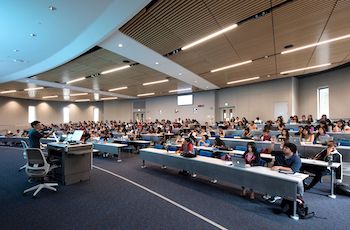
Classroom Technology Support helps to manage a variety of general assignment classrooms containing installed equipment. The different styles of rooms are described briefly below, along with links to the room lists, equipment information, and policies for each.
For information on ALL general assignment classrooms, visit the Registrar’s classroom description page: http://www.reg.uci.edu/uci/rooms/index.html
Smart Classrooms
| |
Phone: |
(949) 824-8833 |
7:30a.m. to 8:00p.m. Mon.-Thurs.
7:30a.m. to 6:00p.m. Fri.
9:00a.m. to 2:00p.m. Sat.
|
| |
Email: |
smartclassrooms@uci.edu |
|
As of January 1, 2008, there are 113 official SmartClassrooms on campus. The rooms are all designed as “do-it-yourself” classrooms containing commonly used equipment and resources, all of which are controlled by a touchpanel on the instructor’s podium.
All SmartClassrooms have a podium containing a PC and monitor, laptop audio/video/network cables, a VHS/DVD deck, and an AMX touchpanel controller. There is a ceiling-mounted data projector, wall speakers, an overhead transparency projector on a cart, and an on-campus phone located near the podium.
Several of our larger SmartClassrooms have a gooseneck microphone located on the podium, and 8 rooms are classified as SmartClassroom Lecture Halls. These have all the features of the regular SmartClassrooms, but additionally contain a wireless microphone, CD/cassette deck, document camera, and a Wacom writing tablet. See the classroom pages below for more details.
Equipment Information & Policies
SmartClassrooms List
Powerpoint Presentation
Smart Trailers
| |
Phone: |
(949) 824-8833 |
7:30a.m. to 8:00p.m. Mon.-Thurs.
7:30a.m. to 6:00p.m. Fri.
9:00a.m. to 2:00p.m. Sat. |
| |
Email: |
smartclassrooms@uci.edu |
|
Over the Summer of 2007, the HICF, ICF, and SSTR classrooms were given a technology upgrade. They do not have as many features as the SmartClassrooms, but have some similar enhancements.
These 13 SmartTrailers contain a data projector and speakers, and have a wall mounted connection plate that will accept a VGA cable, 1/8” mini audio cable, and RCA audio and video cables. Above those connections is a touchpad controller that will allow the user to turn on and off the projector, change inputs, and adjust the volume. There are no on-campus phones in these rooms, but CTS is happy to respond to requests for service in these spaces.
One key thing to note about these rooms is that cables are not provided. If the room user is bringing a laptop or video deck to use, he/she must also bring a compatible VGA cable or RCA cables to plug into the wall plate. If equipment is needed, please refer to our Equipment Rental page (link) for information.
Equipment Information & Policies
SmartTrailers List
NACS Instructional Computer Labs
NACS Phone: (949) 824-2222
CTS Phone: (949) 824-8833
http://www.nacs.uci.edu/academic/
NACS manages a large number of computer labs around campus, and two of these labs now contain SmartClassroom podiums, speakers, and data projectors. CTS helps to maintain the equipment in these rooms, while NACS is responsible for the computers, scheduling, and all administrative aspects of the labs. For additional information, click on the links below or the general link above.
AIRB 1020, the NACS training lab, is dedicated to Faculty and Staff training. Priority is given to NACS and the Department of Undergraduate Education (DUE) events, but it is available for other faculty and staff training on campus.
EG 1151 (Lab C), is one of four instructional labs that are primarily reserved for class use. When no class is being held, they are available for drop-in use.